
Jeppesen’s C-MAP MAX-N Wide cartography is now available for a range of Navico plotters and multifunction displays. The chart product supports many popular units from Navico’s brands, including Lowrance Elite-7, HDS Gen1, Gen2 and Gen2 Touch; Simrad NSS, NSE and NSO; and B&G Zeus Touch. Owners of these displays can incorporate MAX-N Wide cartography to extend their onboard mapping options.
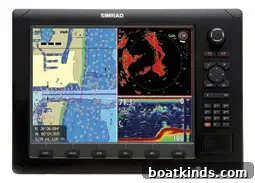
Before using C-MAP MAX-N Wide with compatible Navico plotters, users must install the latest software upgrade on their units. Keeping unit software current ensures compatibility and proper operation with the MAX-N Wide charts. Jeppesen advises verifying device firmware and chart reader settings as part of the installation process so the new cartography is recognized and functions as intended on supported displays.
Jeppesen sells MAX-N Wide with a manufacturer’s suggested retail price (MSRP) of $199, with an introductory price of $179. The cartography is available either as a downloadable product or on physical SD cards for users who prefer plug-and-play media. To obtain the charts, users may download the digital product from the Navico insight store (insightstore.navico.com) or order SD cards for direct installation into compatible plotters and multifunction displays.
Jeppesen, based in Englewood, Colorado, provides customer service and product information for C-MAP MAX-N Wide. For inquiries, users can contact Jeppesen by phone at (303) 799-9090 or visit the company’s official website for additional details about chart formats, compatibility and support. The C-MAP product line from Jeppesen is positioned to integrate with Navico hardware families and offers another cartographic option for boaters who already use Lowrance, Simrad or B&G displays.
When considering MAX-N Wide, check your unit’s model and generation to confirm compatibility—models listed above represent the supported Lowrance, Simrad and B&G displays. If you are unsure which software version your plotter is running, consult the unit’s menu system or the manufacturer’s documentation to determine whether a firmware or software update is required prior to installing new chart media. Installing the latest available software is the recommended first step in the upgrade process.
This announcement was originally published in the August 2013 issue. The availability, pricing and purchase options described reflect Jeppesen’s release for C-MAP MAX-N Wide at that time. For the most current information, contact Jeppesen customer service or check product listings from authorized retailers and the Navico insight store.